

A tag on its own says what kind of content you have: a link, an image, an input. It does not say where the link goes, which image to load or what kind of input is expected. HTML attributes supply that missing information.
This guide covers how attributes are written, which ones work on every element, which ones belong to specific elements and the habits that keep them tidy.
Table of Contents
What Are HTML Attributes?
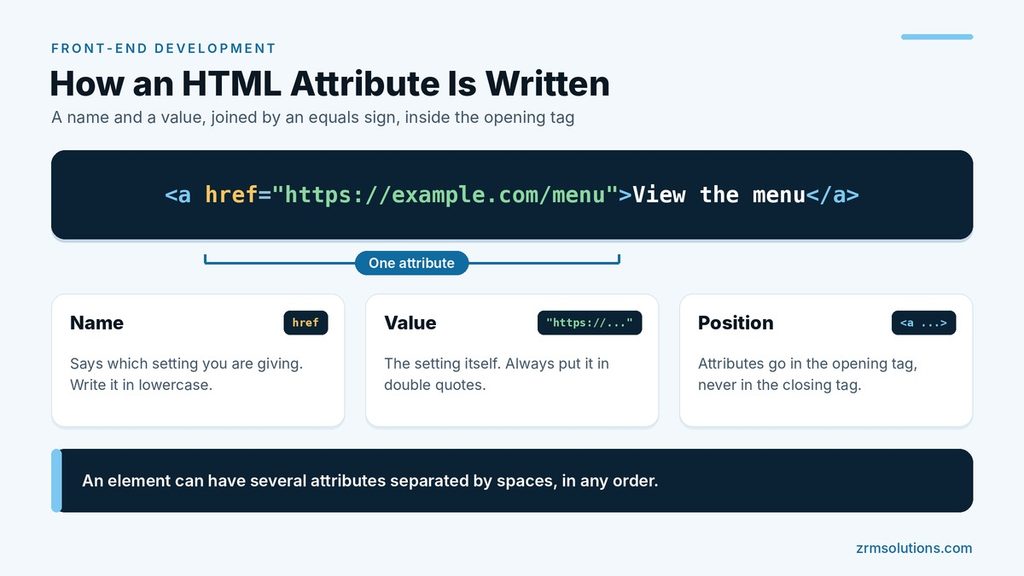
An attribute is extra information written inside an opening tag. It is made of a name and a value, joined by an equals sign.
<a href="https://example.com/menu">View the menu</a>Here href is the name and the web address is the value. An element can have several attributes separated by spaces, and their order does not matter. Attributes never go in the closing tag.
Quoting rules for attribute values
HTML is forgiving about quotes, which is exactly why a firm habit helps.
- Use double quotes. Single quotes are valid too, but double quotes are the standard.
- Do not skip the quotes. HTML accepts unquoted values that have no spaces, but
class=card largeis read as a class ofcardplus a separate attribute namedlarge. - Switch quotes when the value contains one. For example,
title='The "classic" loaf'. - Write names in lowercase. Attribute names are not case sensitive, but lowercase is the convention.
- Use each attribute once per element. If you repeat one, the browser keeps the first and ignores the rest.
Global Attributes
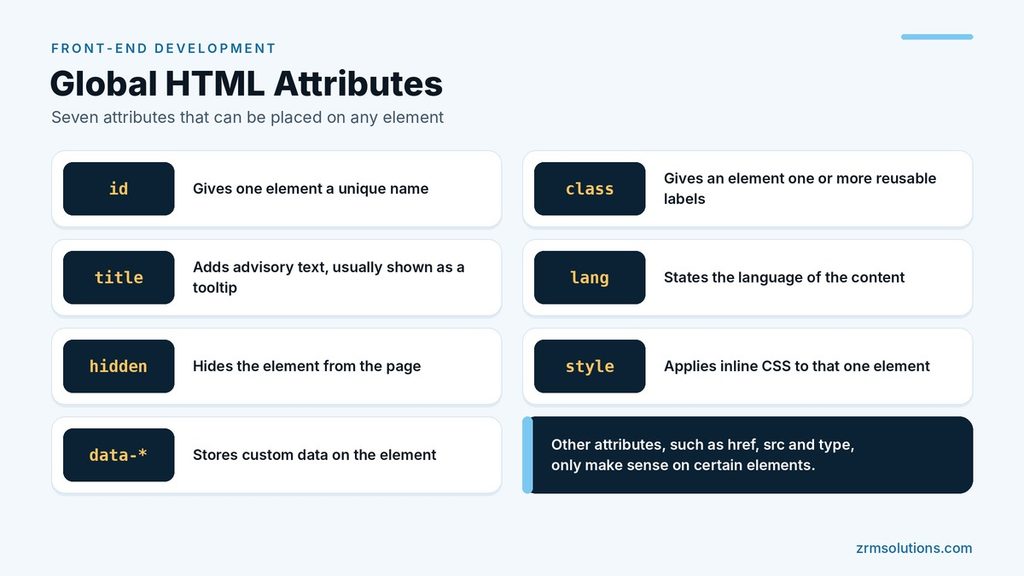
Global attributes can be placed on any element.
| Attribute | What it does |
|---|---|
id | Gives one element a unique name |
class | Gives an element one or more reusable labels |
title | Adds advisory text, usually shown as a tooltip |
lang | States the language of the content, such as lang="en" |
hidden | Hides the element from the page |
style | Applies inline CSS to that one element |
data-* | Stores custom data on the element |
Element-Specific Attributes
Other attributes only make sense on certain elements.
Links
href sets the destination of a link. target="_blank" opens that destination in a new tab.
Images
<img src="loaf.jpg" alt="Sliced sourdough loaf" width="600" height="400">srcis the path to the image file.altis a text description. It is shown if the image fails to load and is read aloud by screen readers.widthandheightare written in pixels without a unit. They let the browser reserve the right space before the image arrives, so the page does not jump.
Inputs
<input type="email" name="email" placeholder="you@example.com" required>typesets the kind of field, such astext,email,passwordorcheckbox.nameis the label attached to the value when the form is sent.placeholdershows a hint inside an empty field. It does not replace a proper label.requiredstops the form from being submitted while the field is empty.
Checking input in more depth is covered in the article on form validation.
Boolean Attributes
A boolean attribute needs no value. If it is present, it is on. If it is absent, it is off.
<button disabled>Send</button>
<input type="checkbox" checked>
Common examples are required, disabled, checked and hidden. A frequent mistake is writing disabled="false". The attribute is still present, so the button stays disabled. To switch a boolean attribute off, remove it completely.
id vs class
Beginners often mix these two up.
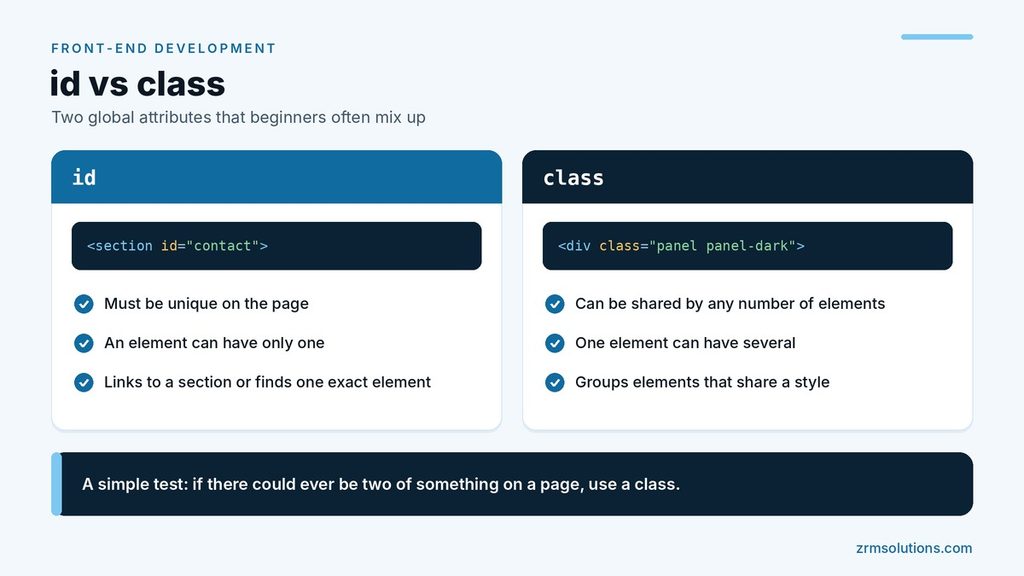
- An id must be unique on the page, and an element can have only one. Use it to link to a section (
href="#contact"), to connect a label to its input or to give a script one exact element to find. - A class can be shared by any number of elements, and one element can have several classes separated by spaces.
<section id="contact" class="panel panel-dark">
  <h2>Contact us</h2>
</section>
A simple test: if there could ever be two of something on a page, use a class. How CSS targets each one is explained in the article on CSS selectors.
Custom Data Attributes
Sometimes you need to attach your own information to an element. Any attribute name that starts with data- is reserved for that purpose.
<button data-product-id="42" data-color="red">Add to cart</button>Data attributes do not change how the element looks or behaves. They hold values that JavaScript can read later through the element’s dataset property. Keep the names lowercase, and never store private information in them, because anyone can view the page source.
A Short Note on ARIA Attributes
Attributes that begin with aria- give extra information to assistive technology such as screen readers. For example, aria-label="Close menu" gives a name to a button that shows only an icon.
ARIA attributes describe an element but add no behavior. The right native element is usually the better choice, and the accessibility article in this series goes into detail.
Best Practices for HTML Attributes
- Write names in lowercase and always put values in double quotes.
- Give every image an
altattribute. Use an emptyalt=""for images that are purely decorative. - Keep each id unique, and choose names that describe purpose, such as
main-nav, notbox1. - Prefer a class and a stylesheet over the
styleattribute. - Set
widthandheighton images. - Do not invent attribute names. Use
data-attributes for custom values.
Frequently Asked Questions
Are HTML attributes case sensitive?
Attribute names are not, so HREF and href work the same. Many values are case sensitive, though, including id and class values.
Can an element have more than one attribute?
Yes. Add as many as you need, separated by spaces, but use each name only once per element.
What is the difference between alt and title on an image?
alt replaces the image for anyone who cannot see it, so it is essential. title is optional extra text that usually appears as a tooltip on hover, which touch screen and keyboard users may never see.
Final Thoughts
Attributes turn general tags into specific, useful elements: a link with a destination, an image with a description, a field with rules. Keep ids unique, reuse classes and quote every value, and your markup will stay clean.
Related reading
- Introduction to HTML Elements
- Introduction to CSS Selectors
- Website Accessibility in Front-End Development